
Most small businesses do not wake up one morning and decide to hire a cybersecurity consultant. Something pushes them there. A strange invoice email that almost got paid. A client who sends over a security questionnaire before signing a contract. An insurance renewal that suddenly asks about multi-factor authentication. A new employee who needs access to everything on day one.
The tricky part is timing. Call too early and you may pay for a review of problems you already understand. Call too late and you are often calling after something has already gone wrong, which is the most expensive moment to learn how your systems are configured.
This guide covers what small business cybersecurity consulting actually involves, how it differs from managed IT, the signals that suggest it is time to bring someone in, and why a local provider is often a better fit for a shop, clinic, or firm than a distant national vendor.
What Small Business Cybersecurity Consulting Actually Covers
Cybersecurity consulting is the advisory side of security. The work is built around protecting your computers, email, identities, and cloud data, and around putting controls in place so you can prepare for, protect against, and respond to an attack. A consultant looks at how your business currently operates, identifies where the gaps are, and gives you a plan you can actually follow.
In practice, a small business engagement usually touches these areas:
- An assessment or audit of current systems, accounts, and access permissions.
- Review of email security, password practices, and sign-in protections.
- A look at where sensitive data lives, including cloud services and shared drives.
- Written policies and procedures for staff, so expectations are clear.
- A prioritized roadmap that separates urgent fixes from longer-term improvements.
- Options for ongoing monitoring or managed support after the initial review.
Good consulting scales with the business. A five-person firm and a forty-person firm need different answers, and a plan that ignores budget or timeframe is not really a plan. Ask any provider how their recommendations get tailored to your size and your resources.
Consulting, Managed IT, and Managed Security Are Not the Same
These three terms get used interchangeably in sales conversations, which causes a lot of confusion. They describe different kinds of work, and many small businesses end up needing a blend of all three.
| Service type | What it focuses on | The question it answers |
|---|---|---|
| Cybersecurity consulting | Assessment, policy, risk priorities, and a written roadmap | What is exposed, what matters most, and what should we fix first? |
| Managed IT | Day-to-day support for devices, networks, software, and users | Who keeps the technology running and handles problems as they come up? |
| Managed security | Continuous monitoring and response to threats | Who is watching for problems and reacting when something looks wrong? |
A consultant may recommend that you move into a managed arrangement afterward, and that is normal. The assessment tells you what needs protecting. Monitoring and support keep it protected over time. What you want to avoid is buying monitoring before anyone has checked whether the basics are in place, because you end up paying to watch a door that does not lock.
Signals It Is Time to Bring In an Expert
Few small businesses need a security program on day one. Many reach a point where an outside review saves them from a costly guess. These are the usual triggers:
- You have never had an outside review. Systems get set up in a hurry and rarely get revisited. An assessment gives you an honest baseline.
- A client, insurer, or partner asks questions. Security questionnaires and contract requirements are common in medical, legal, financial, and government-adjacent work.
- Staff share logins or use personal devices for work. Shared credentials and unmanaged phones and laptops are hard to track and harder to secure.
- You are moving data to the cloud or adding remote work. Both change who can reach your information and from where.
- Something already happened and you are not sure what. A clicked link, a strange login alert, or a missing laptop all deserve a proper look rather than a shrug.
- You handle sensitive records. Medical charts, financial details, and confidential client files carry obligations that go beyond convenience.
- You have outgrown the owner-knows-everything stage. Once you have multiple locations, new hires, or several software subscriptions, the picture gets too big for one person to hold in their head.
If two or three of these apply, a conversation with a consultant is worth the time, even if you decide not to hire anyone yet.
Why a Local Expert Often Fits Better
National security vendors sell strong products, and some of them are excellent. The problem for a small business is usually not product quality. It is fit. Enterprise tools assume an IT department that will configure and maintain them, and a small firm rarely has one.
A local provider brings a different advantage: familiarity. Someone who works with nearby retail shops, construction firms, real estate offices, hotels, restaurants, and medical practices has seen the same patterns repeatedly. They know which problems are common in your type of business and which recommendations are realistic for a staff of six.
Responsiveness matters just as much. When a consultant is a phone call away and can be on site, issues get resolved rather than filed into a ticket queue. For a business where the owner is also the office manager, the bookkeeper, and the person handling payroll, that difference is practical, not sentimental.
Local also means the relationship can grow with you. A consultant who started with your assessment can later support managed IT, phone systems, cameras, and structured wiring, which keeps your technology decisions coherent instead of scattered across four vendors who never speak to each other.
What a First Engagement Usually Looks Like
You do not need to have everything figured out before the first call. Many providers begin with a free consultation to understand your situation and scope the work. From there, a typical sequence runs something like this:
- Discovery conversation. You describe the business, the systems you use, and what prompted the call.
- Assessment. The consultant reviews devices, accounts, access, email, and cloud services, and notes where protections are missing.
- Written findings. You get a report that explains the gaps in plain language and ranks them by risk.
- Prioritized plan. Urgent items get separated from projects that can wait, with effort and cost implications attached.
- Implementation and review. Fixes get made, policies get adopted, and the plan gets revisited as the business changes.
Ask up front what the assessment covers and what it leaves out. A review that only looks at antivirus is not a security assessment, and a report that lists forty problems without ranking them is not much use to an owner with limited time.
Questions Worth Asking Before You Hire
A short conversation will tell you a lot about how a provider works. Bring these to the first meeting:
- What exactly does the assessment include, and how long does it take?
- Who performs the work, and who do I contact afterward?
- Will I receive a written report I can act on and share with my team?
- What happens after the report, and can we handle fixes in stages?
- Do you offer ongoing monitoring or support once the initial review is done?
- How do you adjust recommendations for a business my size and budget?
What to Have Ready Before the First Call
You do not need documentation to start the conversation, but a few rough notes make the first meeting far more useful:
- A list of the devices your team uses, including phones and laptops.
- Which software and cloud services you rely on day to day.
- Roughly who has access to what, especially financial and client records.
- Any security requirements from clients, insurers, or industry rules.
- What has gone wrong in the past year, even if it seemed minor.
- Your budget range and how quickly you want to make changes.
Where Security Fits With the Rest of Your Technology
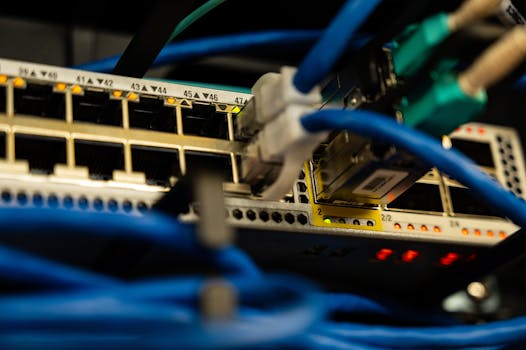
Security does not sit in a separate box. The cameras on your building, the wiring behind your walls, the phone system staff use every day, and the computers on your network all intersect with it. Cameras and network equipment that never got configured properly can quietly become the weak point. A phone system with weak account protections is another way in. Structured wiring done without a plan creates years of maintenance headaches.
That is why a provider who handles managed IT, business phone systems, security cameras, and low-voltage cabling alongside consulting can see the whole picture. Recommendations stay consistent, and you are not left explaining your network to a new vendor every time something is added.
If you are in Marquette or elsewhere in the Upper Peninsula and you are unsure whether it is time for an outside review, start with a conversation rather than a purchase. Ask what a first assessment would cover, what it would produce, and how the recommendations would be prioritized for a business your size. The answers usually make the decision obvious.
Frequently Asked Questions
How is cybersecurity consulting different from managed IT?
Consulting is advisory work. It reviews your systems, identifies gaps, and produces a prioritized plan. Managed IT is ongoing support that keeps devices, networks, and users running day to day. Many small businesses start with a consulting assessment, then move into a managed arrangement so the fixes stay in place over time.
Do I need a full audit or just a quick checkup?
It depends on what prompted the call. A business responding to a client questionnaire may need a documented assessment. A business that simply wants a baseline may be fine with a lighter review. Ask the provider to explain what each option covers before you commit, and confirm you will receive written findings either way.
How much does small business cybersecurity consulting cost?
There is no single answer, because scope varies widely by business size, number of devices, and how much documentation you need. Ask for a proposal that states exactly what is included and what is billed separately. Providers commonly offer an initial consultation so both sides can judge fit before committing to a paid engagement.
Can a very small business really be a target?
Small firms hold client records, payment details, and email accounts, which are exactly the things attackers want. A business does not need to be famous to be worth compromising. Being small often means fewer protections in place, which makes the basics, such as strong sign-in controls and clear policies, matter more than ever.
How often should we review our security?
There is no universal schedule, and any provider who quotes one without asking about your setup is guessing. Most businesses benefit from a review after major changes, such as new software, new locations, new hires, or a move to remote work. Ask what cadence makes sense for your situation and budget.