
Cybersecurity is no longer something only large corporations need to consider. Small businesses depend on email, cloud applications, payment systems, customer databases, and connected devices that can become targets for cyberattacks.
For business owners in Marquette, Michigan, and throughout the Upper Peninsula, creating a small business cybersecurity plan is an important step toward protecting sensitive information, preventing operational disruptions, and improving long-term business resilience.
A cybersecurity plan does not have to be complicated or expensive. It should identify your most important technology assets, explain how they are protected, and establish clear responsibilities when something goes wrong.
This guide explains how to create a cybersecurity plan for a small business in six practical steps, including device security, account protection, network safeguards, data backups, and incident response.
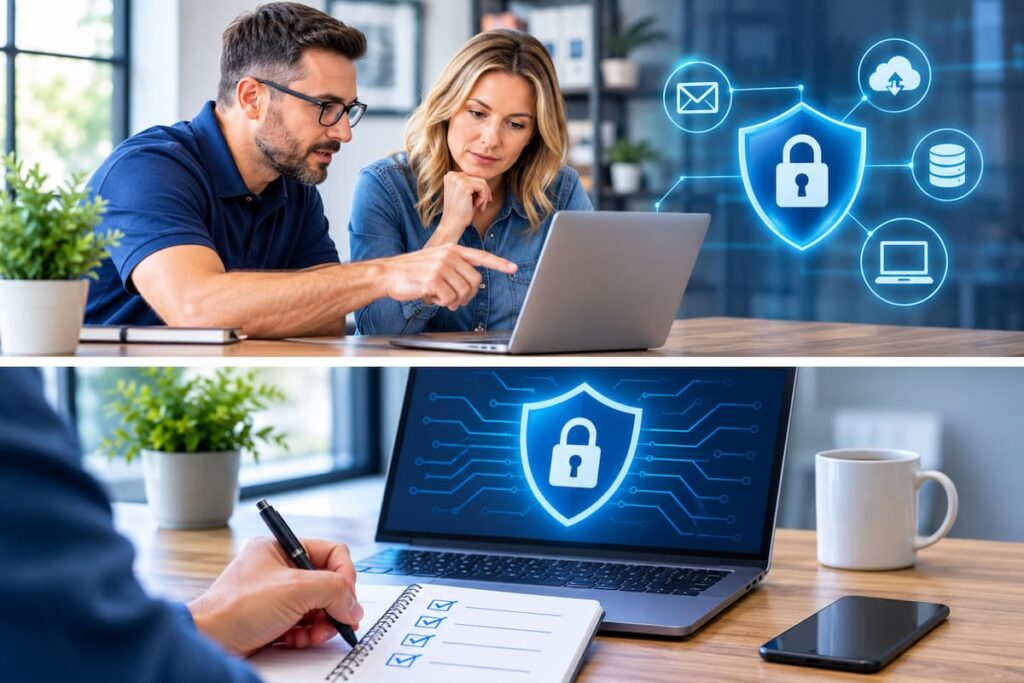
How Do You Create a Small Business Cybersecurity Plan?
A small business cybersecurity plan is a written strategy that identifies important technology assets, establishes security controls, protects business data, and explains how employees should respond to cybersecurity incidents.
To create an effective small business cybersecurity plan in 2026, follow these six steps:
- Identify business assets and risks: Inventory devices, accounts, software, and sensitive information.
- Secure computers and devices: Apply software updates, encryption, and endpoint protections.
- Protect accounts and passwords: Use unique passwords, multi-factor authentication (MFA), and access controls.
- Secure networks and websites: Configure firewalls, business Wi-Fi, remote access, and website security.
- Establish backups and business continuity: Protect critical data and test recovery procedures.
- Train employees and prepare for incidents: Establish security policies, employee awareness, and an incident response plan.
For small businesses in Marquette, MI, and Michigan’s Upper Peninsula, these steps provide a practical starting point for managing cybersecurity risks without requiring a large internal IT department.
Why Does Every Small Business Need a Cybersecurity Plan?
A cybersecurity plan helps business owners understand what needs protection, which risks matter most, and who is responsible for maintaining security.
Without a documented plan, businesses may overlook outdated devices, shared passwords, unprotected accounts, and unreliable backups.
A well-organized cybersecurity strategy can help businesses:
- Reduce exposure to common cybersecurity threats.
- Protect customer and employee information.
- Minimize technology-related downtime.
- Establish clear employee security responsibilities.
- Improve preparation for cyber incidents.
- Support applicable security and contractual requirements.
- Prioritize cybersecurity investments based on business risk.
Retail stores, healthcare practices, restaurants, construction companies, and professional offices in Marquette County may have different security requirements, but they all benefit from a consistent approach to protecting business technology.
Step 1: Identify Your Business Assets, Accounts, and Cybersecurity Risks
The first step in creating a small business cybersecurity plan is identifying the technology and information your business depends on.
You cannot effectively protect systems that are missing from your inventory.
Create a Business Technology Inventory
Document all important business assets, including:
- Desktop computers, laptops, and tablets.
- Employee smartphones used for business.
- Routers, switches, servers, and wireless access points.
- Printers, scanners, and connected office equipment.
- Business phone systems and VoIP applications.
- Security cameras and access control devices.
- Cloud applications and business email accounts.
- Accounting, payroll, scheduling, and payment platforms.
- Customer databases and confidential business records.
For each asset, record its purpose, responsible person, access permissions, and the type of information it stores or processes.
Identify Sensitive Business Information
Pay particular attention to information that could cause financial, legal, or operational problems if exposed.
Examples include customer contact details, payment information, employee records, confidential contracts, and medical information where applicable.
Prioritize Cybersecurity Risks
Not every system requires the same level of protection.
Start by identifying which systems are essential to business operations and what would happen if they became unavailable.
Action item: Create a centralized inventory and update it whenever employees, equipment, software, or service providers change.
Businesses that need assistance managing devices and technology infrastructure can explore IT and Managed Services in Marquette County.
Step 2: Secure Business Computers, Mobile Devices, and Software
Unpatched software and poorly configured devices can create opportunities for attackers to access business systems.
A small business cybersecurity strategy should include consistent device maintenance and security controls.
Keep Software and Operating Systems Updated
Enable automatic security updates where appropriate for:
- Windows, macOS, and other operating systems.
- Web browsers.
- Business applications.
- Endpoint security tools.
- Routers, firewalls, and network equipment.
- Security cameras and connected devices.
Check that updates install successfully, and prioritize fixes for actively exploited vulnerabilities.
Enable Device Encryption and Screen Locks
Laptops, tablets, and smartphones may contain sensitive business information.
Full-device encryption helps protect stored information if a device is lost or stolen.
Require screen locks, appropriate authentication, and secure device configurations.
Limit Administrator Permissions
Employees should use standard accounts for everyday tasks whenever possible.
Administrative access should be restricted to authorized personnel who need it.
Replace Unsupported Technology
Devices and software that no longer receive security updates may expose the business to unnecessary risks.
Develop a replacement plan for unsupported equipment.
Action item: Assign responsibility for device updates, endpoint protection, and equipment maintenance.
For businesses upgrading network equipment or office infrastructure, Superior Eagle also provides Professional Services and Network Cabling Solutions.

Step 3: Protect Business Accounts With Strong Passwords and MFA
Account security is one of the most important components of a small business cybersecurity plan.
Compromised passwords can allow unauthorized access to business email, cloud storage, financial accounts, and administrative systems.
Use Strong, Unique Passwords
Every employee should have individual login credentials.
Use long, unique passwords or passphrases and avoid reusing credentials across multiple services.
A reputable password manager can help generate and securely store complex passwords.
Enable Multi-Factor Authentication
MFA adds another verification requirement beyond a password.
Enable MFA for:
- Business email.
- Banking and financial platforms.
- Cloud applications.
- Remote access systems.
- Administrative accounts.
- Customer management software.
Where supported, prioritize phishing-resistant authentication methods such as passkeys or security keys.
Review Employee Access Permissions
Apply the principle of least privilege, which means employees receive only the access necessary for their responsibilities.
Remove unnecessary permissions and promptly disable accounts when employees or contractors leave.
Action item: Enable MFA on critical accounts immediately and establish a recurring access-review process.
Step 4: Secure Your Business Network, Wi-Fi, and Website
A secure business network helps protect communication between devices, applications, employees, and customers.
Network security is especially important for businesses using point-of-sale systems, cloud applications, security cameras, and VoIP phone systems.
Configure Business Firewalls
Firewalls help control network traffic and restrict unauthorized connections.
Review firewall settings regularly, disable unnecessary services, and avoid exposing administrative interfaces directly to the internet.
Separate Guest Wi-Fi From Business Systems
Guest networks should be separated from systems containing financial records, customer information, and other sensitive business data.
Use WPA3 security where supported, or properly configured WPA2-AES where necessary.
Change default network administrator credentials and maintain supported firmware.
Secure Remote Access
Remote access should be limited to authorized users and protected with MFA where available.
Remove unnecessary remote access accounts and review vendor permissions.
Protect Your Business Website
If your website collects customer information, it should use HTTPS with a valid TLS certificate.
HTTPS encrypts data transmitted between visitors and the website, but it does not guarantee that the website or its applications are free from vulnerabilities.
Additional protections include:
- Keeping website software and plugins updated.
- Using strong administrator authentication.
- Limiting administrative access.
- Maintaining secure website backups.
- Monitoring for suspicious activity.
Action item: Review firewall settings, Wi-Fi segmentation, remote access, and website security responsibilities.
Step 5: Establish Data Backups and a Business Continuity Plan
Data loss can interrupt business operations, affect customer service, and create significant recovery costs.
A cybersecurity plan should explain how important information is backed up and how operations will continue during a technology outage.
Follow a Reliable Backup Strategy
The 3-2-1 backup approach is a useful starting point:
- Maintain three copies of important data, including the working copy.
- Use two different storage types or environments.
- Keep at least one copy off-site or otherwise isolated.
Where appropriate, use offline or immutable backups to reduce exposure to ransomware.
Test Data Recovery
A successful backup notification does not guarantee that files can be restored.
Schedule restoration tests and confirm that recovered information is complete and usable.
Create a Business Continuity Plan
A business continuity plan explains how essential operations will continue when technology is unavailable.
Include:
- Critical business systems and recovery priorities.
- Employee responsibilities during outages.
- Backup communication methods.
- Emergency vendor and IT contact information.
- Customer communication procedures.
- Expected recovery time objectives.
Action item: Document backup schedules, test recovery procedures, and maintain an accessible copy of your continuity plan.
Step 6: Train Employees, Protect Sensitive Data, and Prepare for Cyber Incidents
Employees play an important role in maintaining cybersecurity.
Even businesses with strong technical protections can experience incidents involving phishing, social engineering, accidental data disclosure, or compromised accounts.
Provide Cybersecurity Awareness Training
Train employees to recognize:
- Phishing emails and suspicious attachments.
- Fraudulent invoices and payment requests.
- Unexpected password reset messages.
- Social engineering attempts.
- Suspicious login notifications.
- Requests to share confidential information.
Provide training during onboarding and reinforce it periodically.
Establish Written Cybersecurity Policies
Small business cybersecurity policies should clearly explain:
- Acceptable use of business technology.
- Password and authentication requirements.
- Data access and handling expectations.
- Remote work and personal-device rules.
- Security incident reporting procedures.
- Responsibilities for maintaining business systems.
Create an Incident Response Plan
An incident response plan identifies what happens when a cybersecurity incident is suspected or confirmed.
It should establish:
- Who receives the initial report.
- Who investigates and coordinates the response.
- How affected systems will be contained safely.
- How evidence will be preserved.
- Who contacts IT specialists, insurers, and other relevant parties.
- How business operations will be restored.
If a serious incident is occurring, contact qualified incident response professionals promptly rather than waiting for a routine security review.
Action item: Create a written incident response procedure and make sure employees know how to report suspicious activity.
Small Business Cybersecurity Plan Template for 2026
Use the following structure as a starting point for documenting your business cybersecurity strategy.
| Plan component | Required information | Responsible person |
|---|---|---|
| 1. Business assets | Devices, accounts, software, sensitive data | Owner / IT provider |
| 2. Device security | Updates, encryption, endpoint protection | IT administrator |
| 3. Account protection | Password rules, MFA, access reviews | Owner / managers |
| 4. Network security | Firewalls, Wi-Fi, remote access, website | IT provider |
| 5. Backup and recovery | Backup schedules, recovery tests, continuity procedures | Owner / IT provider |
| 6. Incident response | Reporting, containment, recovery, communications | Designated incident lead |
Assign actual names, review dates, and procedures before treating this template as an operational plan.
A useful cybersecurity plan should be clear enough for employees to follow and detailed enough for the responsible people to maintain.
How to Implement Your Cybersecurity Plan in 30 Days
| Timeline | Priority actions |
|---|---|
| Days 1–7 | Identify critical accounts, enable MFA, confirm backups, address urgent exposures |
| Days 8–14 | Inventory systems, review updates, secure devices and network access |
| Days 15–21 | Test backups, review employee permissions, document continuity procedures |
| Days 22–30 | Finalize policies, train employees, assign responsibilities, test incident reporting |
| Ongoing | Monitor systems, review access, maintain backups, update the plan |
This is a suggested implementation schedule, not a guarantee that all security work can be completed in 30 days.
How Does the NIST Cybersecurity Framework Support Small Businesses?
The National Institute of Standards and Technology provides guidance for managing cybersecurity risks through the NIST Cybersecurity Framework 2.0.
The NIST Cybersecurity Framework 2.0 Small Business Quick-Start Guide is designed to help organizations with limited cybersecurity resources begin developing a structured risk-management approach.
The framework includes six core functions:
- Govern: Establish cybersecurity responsibilities, policies, and risk-management direction.
- Identify: Understand important assets and cybersecurity risks.
- Protect: Implement safeguards to reduce exposure.
- Detect: Recognize potential cybersecurity incidents.
- Respond: Take appropriate action when incidents occur.
- Recover: Restore affected systems and operations.
The six practical steps in this article support these functions, although they are not a substitute for implementing the complete framework.
For additional small-business guidance, the Federal Trade Commission’s Cybersecurity for Small Business resource explains cybersecurity planning and risk-reduction practices.

Why Marquette, MI Businesses May Benefit From Local IT Support
Creating a cybersecurity plan is only the beginning. Businesses must also maintain their technology, apply updates, manage backups, and respond to technical issues.
For smaller organizations without a dedicated IT department, maintaining these responsibilities can be challenging.
Benefits of Local Managed IT Services
Working with a local IT provider may offer:
- On-site assistance when physical troubleshooting is required.
- Support for business networks and devices.
- Backup and cloud technology assistance.
- Help desk and technical support.
- Coordinated infrastructure planning.
- Ongoing maintenance as business needs change.
Superior Eagle provides technology solutions for businesses in Marquette County and throughout Michigan’s Upper Peninsula.
Its services include managed IT, network infrastructure, business communications, and related technology support.
Businesses considering outside assistance should confirm the exact cybersecurity services, monitoring capabilities, and incident response responsibilities included in any proposed agreement.
Frequently Asked Questions About Small Business Cybersecurity Plans
1. What should a small business cybersecurity plan include?
A small business cybersecurity plan should include an inventory of technology assets, device protection, password and MFA policies, network security, data backup procedures, employee training, and an incident response plan. It should also identify responsible personnel and establish regular review dates.
2. How much does it cost to create a small business cybersecurity plan?
The cost depends on business size, technology complexity, existing protections, and whether outside consulting or implementation services are required. Some planning tasks can be completed internally using free government resources, while professional assessments, monitoring, and technical improvements may involve additional costs.
3. Can a small business create a cybersecurity plan without an IT department?
Yes. Small businesses can begin by documenting their devices, enabling MFA, updating software, protecting backups, and assigning cybersecurity responsibilities. Organizations without internal expertise may benefit from working with an IT provider or qualified cybersecurity consultant for more technical tasks.
4. How often should a cybersecurity plan be updated?
A cybersecurity plan should be reviewed at least annually as a practical baseline and whenever significant business or technology changes occur. Updates may also be necessary after security incidents, regulatory changes, new software deployments, or changes to important vendors.
5. Is a cybersecurity plan required for small businesses in Michigan?
There is no single universal cybersecurity-plan requirement that applies identically to every Michigan small business. Requirements depend on the organization’s industry, the information it handles, applicable laws, contracts, and insurance obligations. Businesses should confirm their specific requirements with qualified legal or compliance professionals.
Build a Stronger Cybersecurity Strategy With Superior Eagle
A small business cybersecurity plan helps turn everyday security practices into a coordinated strategy for protecting business operations.
By identifying important systems, securing devices and accounts, protecting networks, maintaining backups, and preparing employees for incidents, businesses can reduce avoidable cybersecurity risks.
For businesses in Marquette, Michigan, and across the Upper Peninsula, reliable technology support can help make these practices easier to maintain.
Superior Eagle provides IT and managed services, professional technology solutions, and network infrastructure support for local businesses.
Ready to improve your business technology and cybersecurity planning?
Contact Superior Eagle to discuss your current IT environment, operational needs, and available support solutions.